
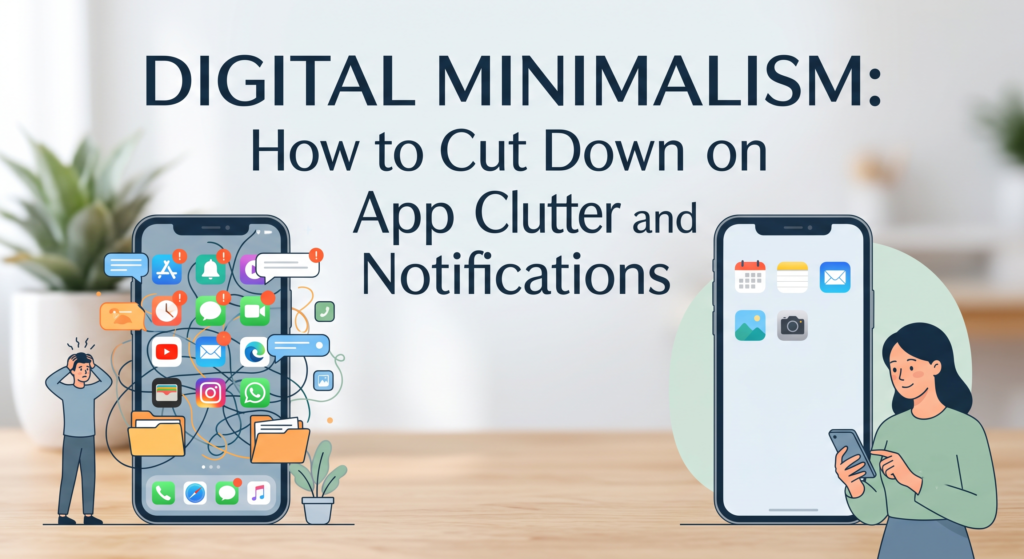
The average phone has dozens of apps competing for attention, and most of them are set up to interrupt you by default. Digital minimalism isn’t about quitting technology — it’s about deciding, deliberately, what deserves space on your phone and in your attention. Here’s a practical approach that doesn’t require throwing out your smartphone.
Why This Matters
Every notification is a small interruption, and interruptions add up. Constant app-switching fragments focus, makes it harder to finish tasks, and creates a background hum of low-level stress — even when nothing important actually happened. The goal of digital minimalism is simple: fewer things fighting for your attention, more control over when and how you engage with technology.
Step 1: Audit Your Apps Honestly
Before deleting anything, take stock. For one week, notice:
- Which apps you open out of habit rather than need
- Which apps you’d genuinely miss if they disappeared
- Which apps exist “just in case” but haven’t been opened in months
Most people find that a small handful of apps account for almost all real use, while dozens more sit idle, still generating notifications and updates in the background.
Step 2: Delete, Don’t Just Hide
Moving an app to a folder on page three doesn’t solve the problem — it’s still pulling your attention through notifications and habitual checking. Be willing to actually delete:
- Apps you haven’t opened in 60+ days
- Duplicate apps that do the same thing (two note apps, three shopping apps)
- Anything installed for a single one-time use
If you truly need something later, it’s usually a 30-second download away.
Step 3: Turn Off Notifications by Default
This is the single highest-impact change most people can make. Instead of deciding app-by-app what to silence, flip the default:
- Turn off all notifications first
- Then selectively re-enable only for things that are genuinely time-sensitive (calls, messages from close contacts, calendar alerts)
- Everything else — social media, shopping apps, games, news apps — can be checked on your terms, not theirs
Most apps default to “on” for every possible notification because it benefits their engagement metrics, not your attention.
Step 4: Batch Your Checking
Instead of checking email or social apps continuously throughout the day, set specific windows (for example, mid-morning and late afternoon). This reduces the number of times your attention gets pulled away from whatever you’re actually doing, without cutting yourself off from anything important.
Step 5: Redesign Your Home Screen
A few small layout changes make a big difference:
- Keep only essential, non-distracting apps (camera, maps, calendar) on the home screen
- Move social media and entertainment apps into a folder, or off the home screen entirely
- Switch your phone to grayscale during certain hours — color is a big part of what makes apps visually “sticky”
Step 6: Set Boundaries, Not Just Settings
Settings help, but habits matter more:
- Keep the phone out of the bedroom, or at least out of arm’s reach at night
- Designate phone-free times (meals, first 30 minutes after waking, etc.)
- Use one device for focused work when possible, rather than switching between phone and laptop constantly
The Goal Isn’t Zero — It’s Intentional
Digital minimalism doesn’t mean deleting every app or going off-grid. It means being deliberate: keeping what adds real value, removing what doesn’t, and making sure your phone notifies you on your terms rather than constantly pulling you elsewhere.
Key Takeaways
- Audit app usage honestly before deciding what to cut.
- Delete unused apps rather than just hiding them.
- Flip notifications to “off by default,” then selectively re-enable.
- Batch-check apps instead of responding to constant pings.
- Redesign your home screen to reduce visual pull.
- Build boundaries around when and where you use your phone.